How to Use Seedance 2.5 (2026): Prompts, Timestamps, Cost
Seedance 2.5 takes 30-second clips, 50 reference assets, and integer-second timestamps. The official spec, three real API runs, and what each clip billed.
 Ofox
Ofox 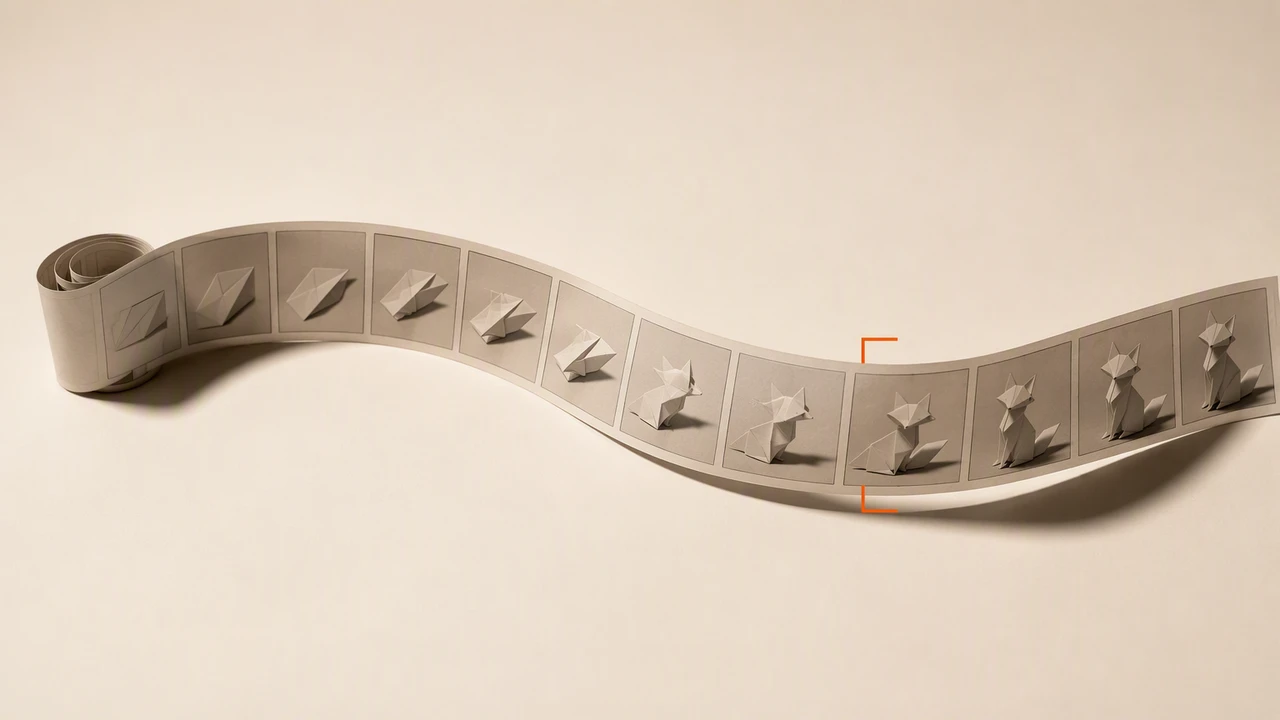
Seedance 2.5 is ByteDance’s 30-second video model, and it changes enough of the prompting contract that a Seedance 2.0 prompt is no longer the right prompt. Timestamps work now. The reference budget went from 15 assets to 50. The task type is inferred from words in your prompt, and getting those words wrong returns the wrong kind of video rather than an error.
Model ID:        bytedance/seedance-2.5 on a gateway, dreamina-seedance-2-5-260628 on ByteDance's API
Clip length:     4 to 30 seconds, or -1 to let the model choose
Resolution:      480p and 720p today; vendor says 1080p starts 2026-08-17; 4K stays on 2.0
Audio:           synchronized, on by default, suppressible per element
References:      50 assets max, as 30 images + 10 videos + 10 audio clips
New in 2.5:      integer-second timestamps, audio-only references, mov output, 11 languages
Cost:            $0.11/s at 480p, $0.24/s at 720p
Measured:        6s clip billed $0.66 in 103s; 30s clip billed $3.30 in 200s
Snapshot:        2026-08-14
Everything below is checked against the official Seedance 2.5 tutorial and prompt guide published by ByteDance, plus three real generations we ran through bytedance/seedance-2.5 on 2026-08-13. Where our runs disagree with the documentation, we say so.
What Changed From Seedance 2.0?
Four things, and the vendor lists them itself. The 2.5 prompt guide carries a short section titled “Differences from Seedance 2.0” that is worth more than any of the launch coverage:
| Change | Seedance 2.0 | Seedance 2.5 |
|---|---|---|
| Timestamps | Responds to shot numbers only | Integer-second timestamps supported |
| Multi-view subject images | Not recommended | Supported |
| Aspect ratios | Six fixed output ratios | Any ratio in [0.4, 2.5] via input assets |
| Video-to-video quality | mp4 output | mov output, better colour and audio continuity |
To that, the capabilities table in the tutorial adds the numbers people quote: 30 seconds instead of 15, 50 reference assets instead of 15, and audio-only references, which the 2.0 series refuses without an accompanying image or video.
One inconsistency to know about before you check our work: that same capabilities table lists an identical set of output aspect ratios for both models, 21:9 through 9:16 plus adaptive. The flexible-ratio claim in the row above is the prompt guide’s, and it is about what the input assets can make the output become, not about a longer dropdown.
What nobody in the launch coverage leads with is the direction the resolution went. Seedance 2.5 tops out at 720p today; the tutorial page, last updated 2026-08-13, still says 1080p and 4K are unsupported. Part of that gap now has a date on it. The ModelArk pricing page carries a notice that Seedance 2.5 “will officially support 1080p output starting from August 17, 2026, Beijing time”, with its own token rate and a discount attached (both below). 4K has no such notice, so Seedance 2.0 stays the only model in the family that reaches it. Until the 17th, anyone delivering a master file is on 2.0 regardless. We put the whole trade in Seedance 2.5 vs 2.0, including what each one costs for the same clip.
Where Can You Run Seedance 2.5?
Two routes that bill you honestly, and a consumer app that does not publish its rates.
| Route | What you get | The catch |
|---|---|---|
| ByteDance ModelArk API | The model at source, billed per token | Cannot be activated until you buy a Seedance 2.5 resource pack with quota left |
| Gateway API | Same model, billed per output second | You are trusting somebody else’s uptime and markup |
| Dreamina | The consumer app | Credit amounts are not published, and face-heavy prompts get filtered hard |
The resource-pack gate is the part that surprises people. ByteDance’s own documentation is explicit that Seedance models activate only while you hold a matching prepaid pack, so the “just add a card and call the API” mental model from other vendors does not apply. Packs expire and are not refundable.
Through a gateway the model is one string. On ofox it is bytedance/seedance-2.5 on the same /v1/videos endpoint as the 2.0 tiers, so switching between them is a one-word diff. The request and polling shape has not changed since we documented it in the Seedance 2.0 API access guide, and the free and access question has the same answer it did for 2.0: there is no free API tier on any route.
How Do You Write a Seedance 2.5 Prompt?
Three blocks, in this order: a one-sentence summary, a beat-by-beat plot, then the details that must hold across the whole clip. That is the structure ByteDance’s guide asks for, and it maps onto how the model reads your text far better than the paragraph of adjectives most video prompts turn into.
The published shape:
One-sentence summary:  subject + location + event + genre/style + camera movement
Detailed plot:         timestamps or Shot N, each with visuals, camera, action, dialogue, sound
Additional notes:      what stays constant throughout: angle, environment, atmosphere, audio
Two rules travel with it. Write positively, because negative constraints are only supported for subtitles and audio (“No subtitles”, “No BGM; generate only environmental sounds and action sounds”). And bind every reference asset explicitly in the text, numbered by upload order, rather than relying on labels drawn inside the image.
ByteDance also ships a prompt-engineering skill for the model, which is the single most useful thing in the guide that nobody has written about:
npx --yes skills@latest add \
  "https://arkdocs-en.tos-ap-southeast-1.volces.com/skills/" \
  --skill sd25-pe \
  --yes
We ran that command to check it resolves: it writes .agents/skills/sd25-pe/SKILL.md and registers the skill with whichever agent CLIs it finds, Claude Code and Codex among them. Then /sd25-pe plus your rough prompt rewrites it into the structure above.
Do Timestamps Actually Work Now?
Yes, and this is the rule that reversed. The Seedance 2.0 prompt guide tells you not to do this: “The model’s support for precise timing (such as 0–3 seconds) is unstable, and forcibly limiting duration may lead to abnormal generation results.” Our Seedance 2.0 guide passes that advice on, because it was correct. For 2.5 the same vendor writes the opposite: timestamps are supported at integer-second granularity, with three accepted styles.
| Style | Example from the guide |
|---|---|
| Interval | 0-3 seconds...3-7 seconds...7-15 seconds |
| Time point | Quick left sideways transition at the 5-second mark |
| Relative | The frame freezes for 1 second after the main character presses the shutter |
Three constraints come with it. Keep the timeline continuous, because gaps like “0-3s… 5-6s…” are called out as a mistake. Budget roughly one beat every two to three seconds, since too little plot in a window makes the model improvise and too much makes it cut frantically or drop plot. And do not use timestamps for high-frequency actions; the guide’s own counter-example is “shake your head three times per second.”
We tested the claim rather than repeating it. One prompt, three beats, explicit second ranges:
0-2s: the paper fox sits still, then its ears twitch twice.
2-4s: the fox unfolds into a single flat sheet of orange paper.
4-6s: the flat sheet folds itself back into the fox, which hops once
      toward the camera and freezes.
At 480p, seed fixed, generate_audio: true. Sampling the returned clip at t=1s, t=3s and t=5s puts the fox intact, mid-unfold, and airborne mid-hop respectively, which is the script. The frame-by-frame comparison against Seedance 2.0 on the identical prompt is in the companion piece; the short version is that both models hit the beats, and 2.5 lands them closer to the second and actually performs the hop.
Stretching a script is where it gets interesting. We reran the same three-beat prompt at duration: 30 without adding plot. The result is coherent for the full 30 seconds, holds the subject, and never cuts, but it spends about ten seconds on a flat sheet of paper because there is nothing else in the script to do. The documentation predicts exactly this. A 30-second clip wants roughly ten beats, not three stretched.
How Many Reference Assets Should You Attach?
The ceiling is 50. The recommended working range is nowhere near it.
| Limit | Ceiling | What the guide recommends |
|---|---|---|
| Images | 30, up to 4K each | 1 to 8 subjects; 9 to 12 gets unstable |
| Videos | 10, 30 seconds total | 1 to 5 subjects; 5 to 10 seconds each |
| Audio | 10, 30 seconds total | Same 1 to 5 subject guidance |
| Storyboard panels | 15 | Simple line art, no text drawn on it |
| Source video for editing | 30 seconds | Under 20 seconds is more stable |
The 2.0 guidance to stay well under the asset limit has not been repealed, it has been rescaled. What genuinely changed is that audio can now stand alone as a reference, so voice or music can drive a generation with no image attached, and multi-view subject images are supported instead of discouraged. For more than five subjects the guide still asks for single-view images, split one per view rather than one image containing several views.
One practical note for anyone calling through a gateway rather than ByteDance directly: the reference ceiling you can actually use is whatever your gateway passes through, and those have historically lagged the model. Test with two reference images before you design a pipeline around thirty.
Which Task Type Are You Actually Running?
Seedance 2.5 sorts every request into locked and unlocked tasks, and locked tasks refuse parameters you would normally set. Seedance 2.0 makes no such distinction, which is why prompts ported straight across start throwing asynchronous errors.
| Task | Trigger | What gets locked |
|---|---|---|
| Text to video | Text only | Nothing |
| Reference to video | An asset with role reference_image, reference_video, or reference_audio | Nothing |
| First frame / first and last frame | An image with role first_frame or last_frame | ratio must be adaptive; output matches the first frame |
| Video editing | A reference video plus edit intent in the prompt | ratio must be adaptive, duration must be -1, source video 4 to 30 seconds |
| Video extension | A reference video plus extension intent in the prompt | ratio must be adaptive |
Intent is read from your words. Editing needs one of edit video, add, insert, remove, delete, modify, replace, change to. Extension needs one of extend forward, extend backward, continue, continue from, extend the story. Miss them and your edit request is classified as a reference job, which returns a new video built loosely from your clip rather than your clip with one thing changed.
The escape hatch is omni_reference_task_type. Set it to edit or extend and the API validates the locked-task constraints at submit time, so you get a synchronous error instead of paying for a wrong-shaped result. Leave it at auto and validation happens after the task starts. The model still re-derives the task type from your prompt afterwards, so the parameter narrows the failure window rather than closing it.
For editing and extension, set output_format to mov. The guide recommends it for both, and mov is the format that carries the yuv444p chroma and PCM audio that make a re-edit look like the same footage.
What Does Seedance 2.5 Cost?
$0.11 per second of finished video at 480p, $0.24 at 720p, and video input costs more than text or images.
| Route on ofox | 480p | 720p |
|---|---|---|
| Text or image to video | $0.11/s | $0.24/s |
| With video input | $0.14/s | $0.30/s |
Real clips, real invoices, both from 2026-08-13:
| Clip | Wall clock | Billed |
|---|---|---|
| 6 seconds, 480p, text to video | 103 s | $0.66 |
| 30 seconds, 480p, text to video | 200 s | $3.30 |
Both land on exactly $0.11 per second, so the published rate is the rate, and a 30-second clip does not cost 30 seconds of premium. Any provider’s rate can be checked against ByteDance’s own token formula; the audit method is here.
ByteDance bills the same model differently: for 480p and 720p output, dreamina-seedance-2-5-260628 is $10.70 per million tokens with no video input and $6.40 with video, and tokens are estimated as (input video duration + output duration) × width × height × frame rate / 1024. Our 6-second clip came back 854×480 at 24 fps, which works out to about 57,600 tokens, or roughly $0.62. The per-second rate we actually paid is within about 7% of ByteDance’s own math for the identical clip, and it skips the prepaid pack. That is the honest way to compare a gateway to source: run the vendor’s formula on a clip you already generated.
The 1080p tier that arrives on 2026-08-17 is priced separately and higher: $11.70 per million tokens with no video input and $7.00 with video, listed at 72% of that through 2026-09-17 at 14:00 Beijing time, which ByteDance summarises as “starting at approximately USD 0.41 per second”. Run the token formula on both and that discounted 1080p second is about four times a 480p second at source, because token count scales with pixel area. It is a tier, not a rounding difference.
Two more billing details worth knowing. Failed generations are not charged, on either route, including failures from content moderation. And promotions still favour the older family for anything you can generate today: ByteDance is discounting the two cheap 2.0 tiers through 2026-09-07, taking Mini to 40% of list and Fast to 75% while the base 2.0 model stays at $7.00 per million tokens, and ofox shows 10% off the 2.0 rates against a $0.07 and $0.16 list. The one Seedance 2.5 promotion on the board applies to 1080p output only, and the pricing page says in the same sentence that 480p and 720p are not eligible. So every resolution 2.5 can currently produce is at full price.
How Do You Call Seedance 2.5 From Code?
Submit, poll, download. The endpoint is asynchronous, and a 30-second clip takes minutes rather than seconds, so build for polling or hand it a callback_url from the start.
import os, time, requests

BASE = "https://api.ofox.run/v1"
H = {"Authorization": f"Bearer {os.environ['OFOX_API_KEY']}"}

body = {
    "model": "bytedance/seedance-2.5",
    "prompt": (
        "3D animated style, bright clean studio lighting, a small orange origami "
        "paper fox on a white paper desk. "
        "0-2s: the paper fox sits still, then its ears twitch twice. "
        "2-4s: the fox unfolds into a single flat sheet of orange paper. "
        "4-6s: the flat sheet folds itself back into the fox, which hops once "
        "toward the camera and freezes. "
        "Fixed camera, medium close-up. No subtitles. "
        "Sound: soft paper rustling on each fold, one gentle chime on the freeze."
    ),
    "duration": 6,
    "resolution": "480p",
    "aspect_ratio": "16:9",
    "generate_audio": True,
}

job = requests.post(f"{BASE}/videos", json=body, headers=H).json()
while True:
    s = requests.get(f"{BASE}/videos/{job['id']}", headers=H).json()
    if s["status"] in ("completed", "failed"):
        break
    time.sleep(5)

print(s["status"], s.get("usage"))
That is the exact request that produced the frames above, minus the seed. usage comes back as {"video_seconds": 6, "video_cost": "0.6600000000"}, which is the number to log if you are tracking spend per clip rather than trusting an estimate.
Two failures are worth catching by hand, because both are cheap to hit and both return before generation starts:
{"error":{"code":"unsupported_parameter",
"message":"resolution \"1080p\" not supported; allowed: [480p 720p]"}}{"error":{"code":"unsupported_parameter",
"message":"duration 30 out of range [4, 15]"}}The first is Seedance 2.5 refusing 1080p. The second is Seedance 2.0 refusing a 30-second request, which is the error you will hit the first time you point old code at the new duration or new code at the old model.
What Should You Do First?
Generate one 4-second 480p clip, at $0.44, before you plan anything. It tells you whether your subject survives content moderation, whether audio comes back the way you want, and what your gateway actually passes through, and it costs less than a coffee.
Then scale in this order: get the beats right at 6 seconds with timestamps, add references one at a time rather than in a batch of thirty, and only move to 720p once the script is settled, because that is the point where the per-second rate more than doubles. If your delivery format needs 1080p before 2026-08-17, or 4K at all, stop here and read the comparison with Seedance 2.0 instead, because no amount of prompting gets today’s 2.5 past 720p.
The Seedance API guide is the tier-and-price map behind these calls.
References
Frequently Asked Questions
- How long can a Seedance 2.5 video be?
- Up to 30 seconds in a single request, against 15 seconds on the Seedance 2.0 series. The accepted range is 4 to 30 seconds, or -1 to let the model pick. We generated a 30-second 480p clip through one API call on 2026-08-13; it came back 30.08 seconds long with audio, took 200 seconds of wall clock, and billed $3.30.
- Does Seedance 2.5 support 1080p or 4K?
- Not today, and 1080p has a date. Seedance 2.5 outputs 480p and 720p as of 2026-08-14, and the tutorial still states that 1080p and 4K are unsupported. ByteDance's pricing page carries a notice that Seedance 2.5 begins supporting 1080p on 2026-08-17 Beijing time, with a separate 1080p token rate and a discount window that runs to 2026-09-17. Our 1080p request on 2026-08-13 returned HTTP 400 with 'resolution 1080p not supported; allowed: [480p 720p]' rather than downscaling silently. 4K has no announced date on 2.5; Seedance 2.0 remains the only model in the family that outputs it.
- Does Seedance 2.5 generate audio?
- Yes, synchronized audio is on by default and you can suppress it in the prompt. Both clips we generated came back with an AAC track at 32 kHz. Negative control works at a finer grain than on-off: the prompt guide documents 'No BGM; generate only environmental sounds and action sounds' and 'No audio' as supported instructions, alongside 'No subtitles' for captions.
- How much does a Seedance 2.5 clip cost?
- On ofox it is $0.11 per output second at 480p and $0.24 at 720p, rising to $0.14 and $0.30 when the input includes video. Our two runs billed exactly that: $0.66 for 6 seconds and $3.30 for 30 seconds at 480p. On ByteDance's own API the model is billed by token at $10.70 per million tokens, which lands within a few percent of the same figure once you run the token formula.
- Why did my edit come back as a brand-new video?
- The model classifies the task from your prompt, and an edit request without an edit trigger word reads as a reference-to-video job. The prompt guide requires at least one of edit video, add, insert, remove, delete, modify, replace, or change to for editing, and extend forward, extend backward, continue, continue from, or extend the story for extension. Setting omni_reference_task_type to edit or extend moves that validation to submit time so you get a synchronous error instead of a surprise clip.
- Is Seedance 2.5 free anywhere?
- There is no free API tier. On ByteDance's own platform the model cannot even be activated until you hold a Seedance 2.5 series resource pack with quota remaining, and packs are prepaid and expire. Consumer surfaces may hand new accounts trial credits, but ByteDance declines to publish the amounts. The cheapest honest way to evaluate it is a 4-second 480p clip, which costs $0.44.
- What is the difference between Seedance 2.5 and Seedance 2.0?
- Seedance 2.5 doubles the maximum clip to 30 seconds, raises the reference budget from 15 assets to 50, adds integer-second timestamp control, adds audio-only references, and adds mov output. Seedance 2.0 is the only one of the two that outputs 4K, holds the only 1080p route until 2026-08-17, and costs roughly 40% less per second at the same resolution. The two are not a straight upgrade path; the full comparison is in our Seedance 2.5 vs 2.0 breakdown.