Use the OpenAI SDK with OfoxAI: Python and TypeScript Migration
Connect the OpenAI SDK to OfoxAI with the right base URL, API key and model ID. Includes Python, TypeScript, streaming and framework migration checks.
 Ofox
Ofox 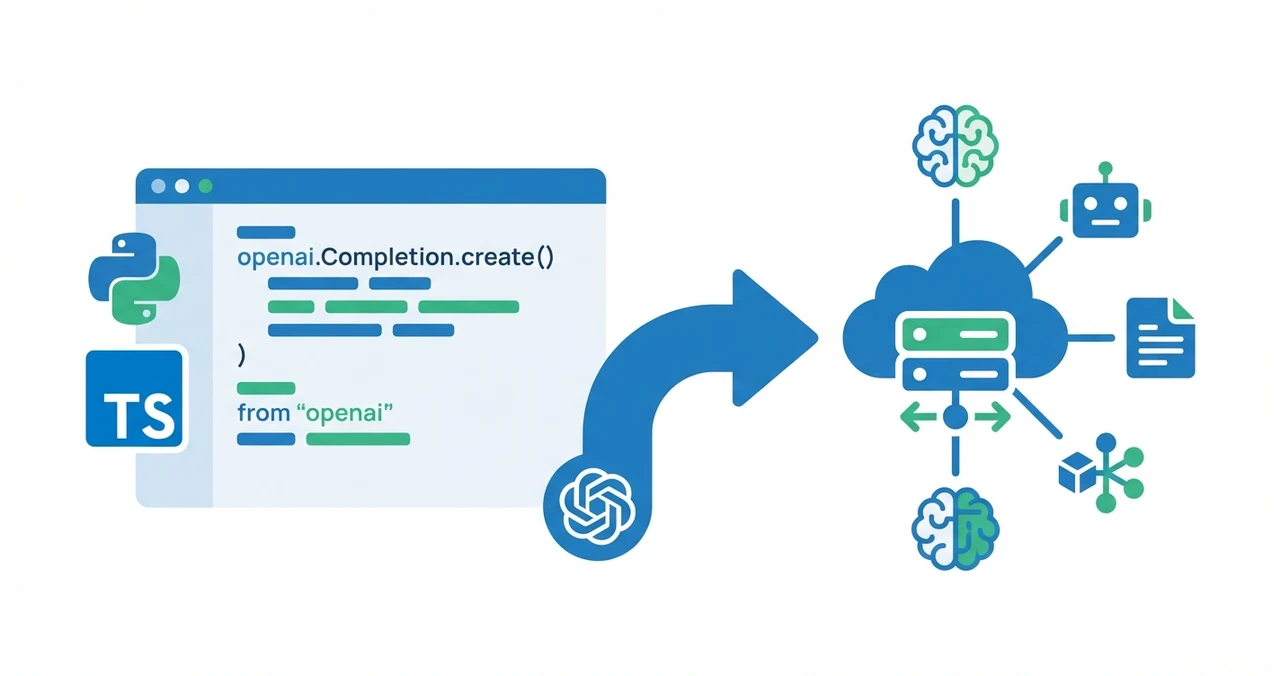
To use the OpenAI SDK with OfoxAI, set the base URL to https://api.ofox.run/v1, supply an OfoxAI API key, and select an exact model ID from the OfoxAI catalog. Keep the SDK, then test the endpoints and parameters your application uses. These examples cover Chat Completions; other API families require separate checks.
What must change when migrating to OfoxAI?
Check three configuration values: the gateway address, the credential and the model ID. An OpenAI or OpenRouter API key does not become an OfoxAI key when you change the URL.
| Setting | Direct OpenAI | OpenRouter | OfoxAI |
|---|---|---|---|
| Base URL | SDK default | https://openrouter.ai/api/v1 | https://api.ofox.run/v1 |
| API key | OpenAI key | OpenRouter key | OfoxAI key |
| Model | An OpenAI model ID | An OpenRouter catalog ID | An OfoxAI catalog ID |
The endpoint and configuration names are documented in the OfoxAI SDK integration reference and OpenRouter quickstart. When moving from OpenRouter, review gateway-specific routing parameters and model aliases separately; matching identifier formats do not guarantee identical behavior.
How do I configure the Python SDK?
Use base_url and api_key when constructing the client, then pass the selected catalog ID to model. Install the official package with python -m pip install openai in your project’s virtual environment; its installation and usage reference covers supported Python versions.
Set OFOX_API_KEY through your environment or secret manager. The optional OFOX_MODEL variable selects the model; the example defaults to openai/gpt-4o, present in the public catalog checked on September 9, 2026. Do not commit API keys. A .env file requires a loader; creating the file alone does not populate Python’s environment.
import os
from openai import OpenAI

client = OpenAI(
    base_url="https://api.ofox.run/v1",
    api_key=os.environ["OFOX_API_KEY"],
)
model_id = os.environ.get("OFOX_MODEL", "openai/gpt-4o")

response = client.chat.completions.create(
    model=model_id,
    messages=[{"role": "user", "content": "Say hello in one sentence."}],
)
print(response.choices[0].message.content)
This code sends a billable generation request when run with a funded account. First check the selected model’s price and account permissions. A successful model-list request alone does not verify generation access or billing.
How do I configure the TypeScript SDK?
Use baseURL and apiKey in TypeScript. Install the official openai package and run the code in a server-side TypeScript project, following the SDK’s setup instructions. Keep the key on the server.
import OpenAI from 'openai';

const apiKey = process.env.OFOX_API_KEY;
if (!apiKey) throw new Error('Set OFOX_API_KEY before running this example.');

const client = new OpenAI({
  baseURL: 'https://api.ofox.run/v1',
  apiKey,
});

async function main() {
  const response = await client.chat.completions.create({
    model: process.env.OFOX_MODEL ?? 'openai/gpt-4o',
    messages: [{ role: 'user', content: 'Say hello in one sentence.' }],
  });
  console.log(response.choices[0]?.message.content);
}

main().catch((error) => {
  console.error(error.message);
  process.exitCode = 1;
});
Which model IDs should I use?
Copy the exact ID from the public model list or model catalog. The following IDs were present and not marked deprecated in the public list on September 9, 2026; availability can change.
| Model you intend to use | OfoxAI ID |
|---|---|
| GPT-4o | openai/gpt-4o |
| GPT-4o mini | openai/gpt-4o-mini |
| GPT-5.2 | openai/gpt-5.2 |
| Claude Sonnet 4.6 | anthropic/claude-sonnet-4.6 |
GPT-5.2 and GPT-5.4 mini are different models. Changing from gpt-5.2 to openai/gpt-5.4-mini changes the model; it is not a provider-prefix conversion. For Claude, Gemini, DeepSeek and other families, inspect the current catalog instead of guessing an ID or adding openai/ to every name.
A shared client does not make every model support the same features. Check supported_endpoints for the OpenAI endpoint you plan to use, supported_parameters for parameters, and input/output modalities for media support. These fields do not by themselves establish support for a different native protocol.
How should I validate streaming and tool calls?
Test streaming separately from a non-streaming response. With the Python client and model_id above, consume text deltas while allowing chunks without choices or text:
stream = client.chat.completions.create(
    model=model_id,
    messages=[{"role": "user", "content": "Say hello in one sentence."}],
    stream=True,
)
try:
    for chunk in stream:
        if chunk.choices:
            text = chunk.choices[0].delta.content
            if text:
                print(text, end="", flush=True)
finally:
    stream.close()
Tool calling needs an application-level test: submit a tool definition, validate the returned arguments, execute the tool in your application and return its result. A model returning a tool call does not execute your function. For JSON output, validate the returned data against the schema your application requires instead of treating SDK compatibility as a correctness guarantee.
What changes for LangChain, LlamaIndex and Vercel AI SDK?
Choose an integration that supports custom OpenAI-compatible endpoints, and explicitly select the API family your application needs. Framework adapters can add model-name validation, defaults or provider-specific behavior beyond the underlying SDK. LangChain’s ChatOpenAI targets standard OpenAI response fields; do not assume it preserves a gateway’s additional reasoning fields.
| Framework | What to check |
|---|---|
| LangChain | Configure ChatOpenAI with the gateway, key and exact model ID; verify that enabled features use a supported endpoint. See the ChatOpenAI integration. |
| LlamaIndex | For third-party compatible APIs, review the OpenAILike adapter, including api_base, model and capability settings. |
| Vercel AI SDK | Configure the OpenAI provider with baseURL and apiKey; select .chat(modelId) explicitly when you want Chat Completions. See the OpenAI provider reference. |
Do not infer support for Responses, embeddings or image generation from a successful Chat Completions call. Validate each endpoint used by the application with the installed framework version.
What should I check before switching production traffic?
Run the checks against the actual model and workload, then keep a tested rollback configuration.
- Confirm the API key, account permissions, balance and exact model ID.
- Test basic text generation and the error handling your application uses.
- Test streaming, cancellation, tool calls and structured output where applicable.
- Check request size, token limits, timeout and retry settings for the workload.
- Compare returned usage with account billing; include any retries in the review.
- Move a small share of traffic, observe failures and latency, and expand only after the checks pass.
For the initial account setup, use the OfoxAI quickstart. For a comparison of gateway costs and team features, see OfoxAI vs OpenRouter. Those are separate decisions from whether an existing application can migrate safely.
Frequently Asked Questions
- What is the OfoxAI base URL for the OpenAI SDK?
- Use https://api.ofox.run/v1 with an OfoxAI API key. Python calls the option base_url; TypeScript calls it baseURL. Select a model ID from the current OfoxAI catalog.
- Do I need to change model names after migrating?
- Check the exact catalog ID. For example, gpt-5.2 maps to openai/gpt-5.2, not openai/gpt-5.4-mini. A different model is a separate migration decision, not a naming change.
- Can I call Claude through the OpenAI SDK?
- For a Claude model that supports the OpenAI Chat Completions endpoint, use its OfoxAI catalog ID with the same client. Check the selected model's parameters before using tools or structured output.
- Does changing the base URL guarantee a safe production migration?
- No. Validate authentication, model IDs, request parameters, streaming, errors and billing in staging. Keep a rollback configuration before moving production traffic.
- Does this guide cover every OpenAI endpoint?
- No. These examples use Chat Completions. Responses, embeddings, images and other endpoints need their own compatibility checks for the selected model and SDK version.