Claude Code Backend Switching Guide (2026): DeepSeek, OpenRouter & More
Configure Claude Code backends with the correct endpoint, authentication and model ID. Includes OpenRouter, DeepSeek and checks for tool compatibility.
 Ofox
Ofox 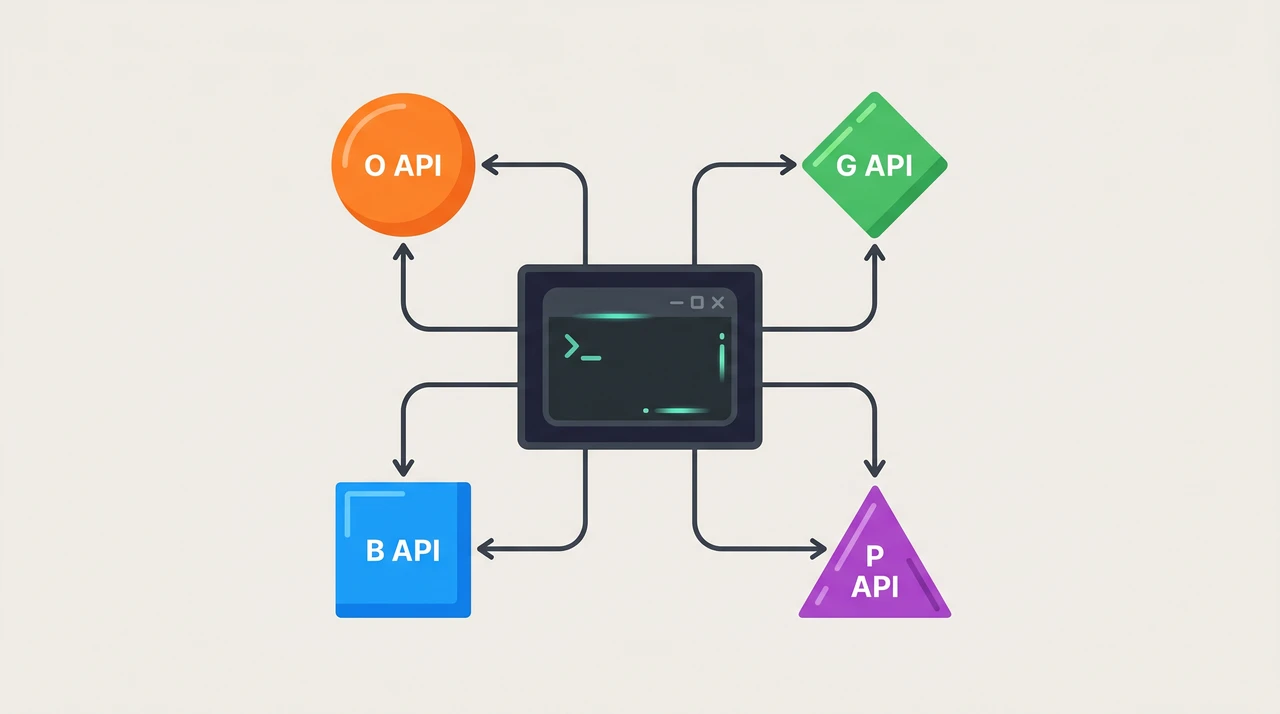
Claude Code can use a provider that implements the required Anthropic-compatible interface. Configure the endpoint, the provider’s authentication method and an exact supported model ID. Switching the URL alone does not guarantee tool compatibility or lower costs.
Why Switch Claude Code’s Backend
A different backend can provide access to another model, consolidated billing or a different deployment region. Compare actual token prices, cache treatment and successful task costs. API billing is separate from a Claude subscription; a gateway key does not transfer a subscription allowance.
How Backend Switching Works
ANTHROPIC_BASE_URL sets the endpoint. Authentication may use ANTHROPIC_API_KEY or ANTHROPIC_AUTH_TOKEN, depending on the provider. Also check environment values in ~/.claude/settings.json and project settings so an old profile does not conflict with your shell.
unset ANTHROPIC_AUTH_TOKEN
export ANTHROPIC_BASE_URL="https://api.ofox.run/anthropic"
export ANTHROPIC_API_KEY="$OFOX_API_KEY"
claude
Run /status inside Claude Code to confirm the switch took effect. Use it to inspect the active configuration, then test a small file read and tool interaction in a scratch workspace. Status output is not an end-to-end protocol test.
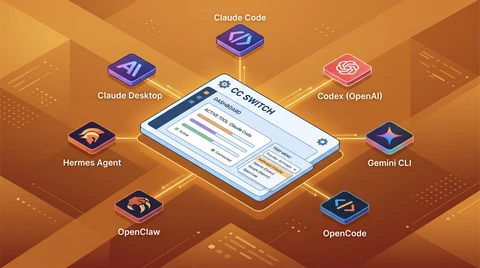
For persistent configuration across sessions, add these exports to your shell profile (~/.zshrc or ~/.bashrc), or use CC Switch — a free open-source GUI that manages multiple provider profiles and writes to ~/.claude/settings.json automatically.
How to Install CC Switch
CC Switch (github.com/farion1231/cc-switch) is the open-source GUI that turns the env-var dance above into one-click switching. It manages multiple provider profiles, persists them to ~/.claude/settings.json, and lets you switch backends without ever touching a shell config. It’s MIT-licensed and built on Tauri (≈ 8 MB binary), so the install footprint is small and the supply chain is reviewable.
Install on macOS
The Homebrew cask is the fastest path:
brew install --cask cc-switchIf Homebrew isn’t on your system, grab the latest .dmg from the CC Switch releases page, open it, and drag the app into /Applications. macOS 12 (Monterey) or later is required. On first launch, macOS will ask you to confirm the developer signature — click Open in the Gatekeeper dialog.
Install on Windows
Download the .msi installer from the CC Switch releases page and run it. Windows 10 or later is required. There are no extra dependencies — CC Switch bundles its own WebView2 runtime. After installation, search “CC Switch” in the Start Menu to launch.
Install on Linux
Three install methods depending on your distro:
# Debian / Ubuntu (22.04+, Debian 11+)
sudo dpkg -i CC-Switch-*.deb

# Fedora / RHEL (Fedora 34+)
sudo rpm -i CC-Switch-*.rpm

# Distribution-agnostic AppImage
chmod +x CC-Switch-*.AppImage && ./CC-Switch-*.AppImage
Grab the matching binary from the releases page. The AppImage is the safest fallback if your distro doesn’t have prebuilt .deb or .rpm packages.
First Launch and Provider Setup
Launch CC Switch and click + Add Provider. Fill in the form:
| Field | Value |
|---|---|
| Provider Name | Any label you’ll recognize — ofox, openrouter, deepseek |
| Website URL | The provider’s homepage (optional, just for reference) |
| API Key | Your provider’s API key |
| Request URL | The provider’s Anthropic-compatible endpoint (e.g., https://api.ofox.run/anthropic) |
| API Format | Anthropic Messages (Native) — keep this default |
| Auth Field | Match the provider: bearer token for OpenRouter; the documented API-key or token route for Ofox |
Click + Add. CC Switch writes the profile to ~/.claude/settings.json. For the Ofox API-key route used below, the relevant values look like this (merge them into your existing settings):
{
  "env": {
    "ANTHROPIC_BASE_URL": "https://api.ofox.run/anthropic",
    "ANTHROPIC_API_KEY": "<your-ofox-key>"
  }
}
To switch providers, return to the list, click the row you want, and hit Use. A “Switched successfully” toast confirms the swap. Your next claude session picks up the new backend automatically — no shell restart, no source ~/.zshrc, no manual export.
CC Switch vs. Shell Aliases — When to Use Which
| Need | Pick |
|---|---|
| One provider, set-and-forget | Plain ~/.zshrc exports |
| 2–3 providers, occasional switching | Shell aliases (see the one-liner pattern below) |
| 4+ providers, multiple switches per day | CC Switch GUI |
Per-profile default model (ANTHROPIC_MODEL) | CC Switch (supports per-profile model defaults) |
| Sharing keys with teammates via 1Password / vault | Shell aliases sourced from ~/.secrets |
| Single config across zsh, bash, and fish | CC Switch (writes settings.json, terminal-agnostic) |
The honest answer for most developers: install CC Switch even if you only have one provider today. The marginal cost is one brew install; the moment you add a second backend you’ll already have the tool ready. And if Claude Code is not the only agent you run, the same app switches seven CLIs from one tray — see CC Switch across 7 AI CLIs.
Verify the Install
claude /statusConfirm the Anthropic base URL in the output matches the profile you activated. If the old endpoint remains, check both shell variables and settings files for overrides. Clear the conflicting credential variable, then start a fresh Claude Code process. Restarting a terminal does not remove saved settings.
Backend-by-Backend Setup
DeepSeek
DeepSeek’s official API documentation now lists an Anthropic-format base URL, https://api.deepseek.com/anthropic. The previous claim that DeepSeek can only be reached through a translation gateway is outdated.
Use DeepSeek’s current integration instructions for authentication and model selection. When using Ofox instead, choose an active DeepSeek model from the catalog and check its supported_protocols field for Anthropic support. A protocol listing does not guarantee identical reasoning, caching or tool behavior across models.
ofox
Ofox exposes an Anthropic-compatible endpoint at https://api.ofox.run/anthropic. For the API-key route:
unset ANTHROPIC_AUTH_TOKEN
export ANTHROPIC_BASE_URL="https://api.ofox.run/anthropic"
export ANTHROPIC_API_KEY="$OFOX_API_KEY"
claude --model anthropic/claude-sonnet-4.6
The catalog checked for this update lists anthropic/claude-sonnet-4.6 as active with Anthropic support. That confirms the advertised route; it is not a new test of all Claude Code features. Read the Ofox setup guide for account and configuration steps. Do not assume /model discovers the entire catalog automatically.
Check the selected model’s pricing before a long run. No single discount percentage applies to every model, provider route or cache pattern.
OpenAI and local proxies
An OpenAI model needs a gateway or proxy that exposes it through an Anthropic-compatible interface. Check the model’s protocol support, not just its vendor name. For example, the Ofox catalog currently lists openai/gpt-5.4-pro with a Responses endpoint only; its presence in the catalog does not make it a Claude Code backend.
For a self-hosted proxy, follow its current Claude Code integration documentation, configure both the upstream credential and proxy authentication, and start it before launching Claude Code. A command that merely starts LiteLLM and sets a base URL is not a complete authenticated setup.
OpenRouter
The official OpenRouter Claude Code guide specifies this configuration:
# Load OPENROUTER_API_KEY from your key manager first.
export ANTHROPIC_BASE_URL="https://openrouter.ai/api"
export ANTHROPIC_AUTH_TOKEN="$OPENROUTER_API_KEY"
export ANTHROPIC_API_KEY=""
# Optional gateway model discovery on supported Claude Code versions:
export CLAUDE_CODE_ENABLE_GATEWAY_MODEL_DISCOVERY=1
claude
The base URL is /api, not /api/v1. The token is sent as a bearer credential; explicitly emptying ANTHROPIC_API_KEY avoids a conflicting direct-Anthropic credential. Define OPENROUTER_API_KEY before expanding it into the auth token.
Use the documented model picker or an exact model ID supported by the integration. Feature support and latency depend on the selected upstream and workload. The previous fixed 100–150 ms overhead estimate was not supported by a repeatable measurement.
Picking the Right Model Per Task
Evaluate candidates on the same tasks before routing production work:
| Task | Check before choosing a cheaper model |
|---|---|
| File reads and repository search | Correct tool arguments and complete tool results |
| Boilerplate or repetitive edits | Build and test pass rate |
| Bug fixes and refactors | Regression coverage and cross-file consistency |
| Architecture changes | Requirements coverage and human review |
| Security review | Independent verification; no model guarantees finding every issue |
Record total tokens, retries, elapsed time and successful outcomes. We removed the unsupported claim that a fixed 85% of work can be rerouted for an 80% saving. For an explanation of routing approaches, see the hybrid routing guide.
Pitfalls That Break Your Setup
1. The Protocol Mismatch Trap
Not every provider that says “Claude Code compatible” actually speaks the Anthropic Messages API. If you set ANTHROPIC_BASE_URL to an OpenAI-format endpoint (like https://api.deepseek.com/v1), Claude Code will send Anthropic-format requests and get back 400 errors or garbled responses. Always verify the endpoint explicitly supports the /v1/messages path with Anthropic-format request bodies.
2. The Tool Call Black Hole
Claude Code’s agent loop depends on tool calls — reading files, running bash commands, searching code. Some gateway setups silently drop tool call responses. The symptom: Claude Code appears to work but “forgets” file contents or fails to execute commands. Test a file read and check that its result reaches the next model turn. Inspect provider errors and request IDs. Use only streaming controls documented for your installed client version.
3. The Silent Extended Thinking Drop
Claude Code uses extended thinking (thinking.budget_tokens) for complex tasks. Some proxies accept the parameter but ignore it — Claude Code thinks it’s getting extended reasoning while actually receiving standard responses. Check the provider’s supported parameters and response fields. A status screen or a single difficult answer cannot prove whether reasoning was executed.
4. The Model Name Mismatch
Use the exact model ID documented by the selected provider. A missing picker entry is not proof that the model is unavailable, and a listed entry does not establish protocol support. Set claude --model <supported-model-id> after checking the integration’s supported models.
The One-Liner Switching Pattern
Once you’ve configured each provider, create shell aliases for instant switching:
cc-ofox() {
  ( unset ANTHROPIC_AUTH_TOKEN
    export ANTHROPIC_BASE_URL="https://api.ofox.run/anthropic"
    export ANTHROPIC_API_KEY="$OFOX_API_KEY"
    claude "$@"
  )
}
cc-openrouter() {
  ( export ANTHROPIC_BASE_URL="https://openrouter.ai/api"
    export ANTHROPIC_AUTH_TOKEN="$OPENROUTER_API_KEY"
    export ANTHROPIC_API_KEY=""
    claude "$@"
  )
}
Run cc-ofox --model anthropic/claude-sonnet-4.6 or cc-openrouter. These functions scope the overrides to a subshell. Keep keys in your key manager, and clear stale model overrides when moving between providers.
For a GUI alternative to aliases, see the CC Switch install section above — it covers macOS, Windows, and Linux setup plus profile management. For ofox-specific provider configuration (API key, request URL, model defaults), see the Claude Code custom API setup guide.
Before using a real repository, confirm the endpoint, billed account, exact model and one complete tool interaction. Repeat the check after changing provider or client version.
Frequently Asked Questions
- How do I install CC Switch on macOS, Windows, or Linux?
- On macOS: brew install --cask cc-switch (or download the .dmg from the GitHub releases page). On Windows: download the .msi installer from the releases page. On Linux: sudo dpkg -i for Debian/Ubuntu, sudo rpm -i for Fedora/RHEL, or use the AppImage. CC Switch supports macOS 12+, Windows 10+, and Ubuntu 22.04+ / Debian 11+ / Fedora 34+.
- Where does CC Switch store its configuration?
- CC Switch writes the active provider's base URL and API key to ~/.claude/settings.json. The app's own profile list lives in its application data directory (~/Library/Application Support/cc-switch on macOS, %APPDATA%\cc-switch on Windows). Editing settings.json by hand still works, but switching via the GUI is safer because it preserves the rest of the file.
- Can I use CC Switch alongside an official Claude subscription?
- API billing and a Claude subscription are different authentication routes. To return to subscription use, clear gateway URL, key, token and model overrides in both the shell and settings, then sign in through Claude Code. Pointing an API profile at Anthropic does not automatically charge a subscription.
- How do I switch Claude Code to use a different API provider?
- Use the endpoint and credential variable documented by the provider. OpenRouter currently specifies https://openrouter.ai/api, ANTHROPIC_AUTH_TOKEN, and an explicitly empty ANTHROPIC_API_KEY. The body below separates this from API-key authentication.
- Can Claude Code work with OpenAI or DeepSeek models?
- Claude Code needs an Anthropic-compatible interface. DeepSeek now publishes an Anthropic-format endpoint directly. For other providers, confirm the selected model and gateway support the required protocol and tools.
- Do I lose Claude Code features when switching to a third-party backend?
- Compatibility depends on the model, gateway and client version. A successful text response or status screen does not establish tool streaming, caching or reasoning support. Test the features your workflow needs.